Custom Use Cases Builder
A use case is your compliance policy, made executable: the documents a file must contain, and the questions Ceertia must answer about them. Build one in plain language, without development, and run it on real files the same day.
Three steps to an executable rule set.
Quote, invoice, ID, certificate, photos: define what a complete file must contain, required and optional. Classification maps every received page against this list.
"Is the total identical on the quote and the invoice?" Each question becomes a versioned rule with its type: general, reasoning, vision, dates, signatures, external sources.
Load example documents, test, adjust, publish. Every answer is a verdict with sourced evidence. Rules are versioned: each file keeps the version applicable at its date.
The real interface, screen by screen.
This is the tool your compliance team will use. Click through each area.
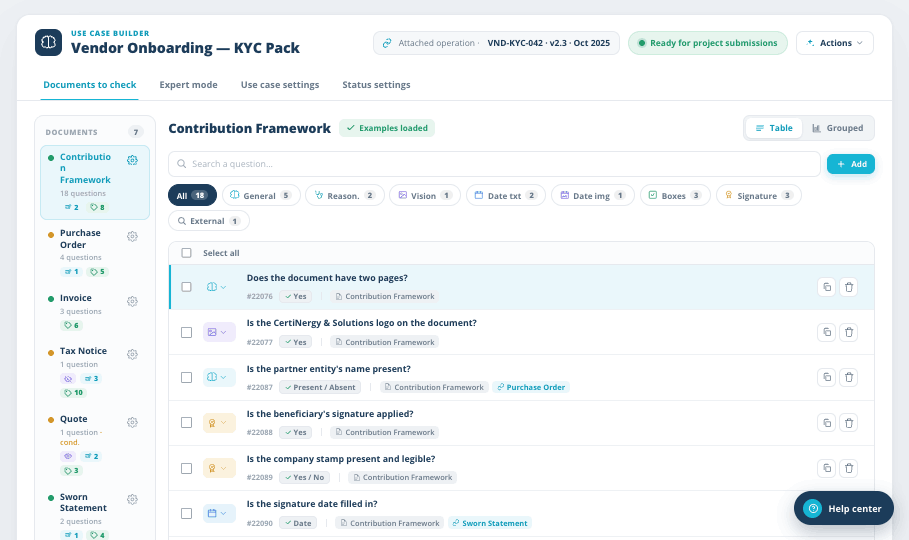
Every question lives on a document.
Each document carries its own questions. Filter by type, search, switch between a flat table and grouped views. Add a question in plain language and it becomes a versioned rule.
- aDocuments to check
The document list on the left, its questions on the right. Status at a glance.
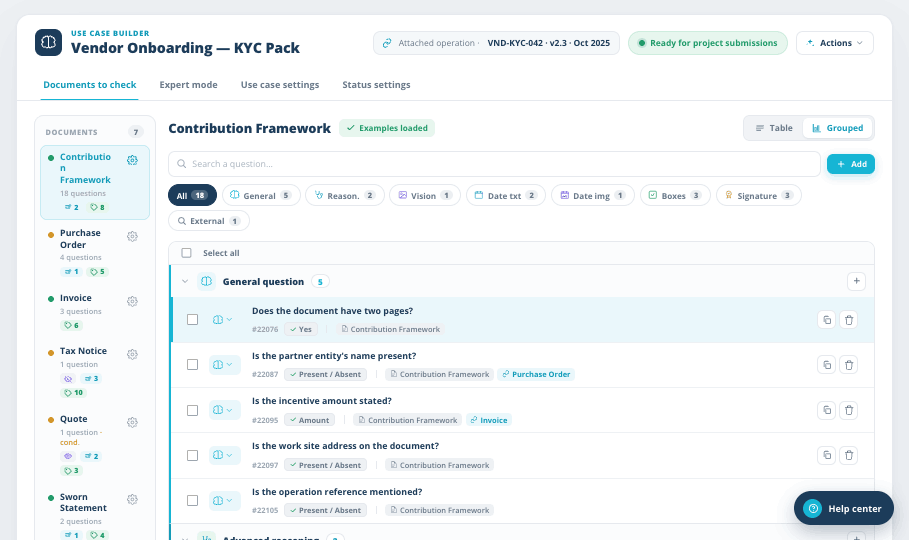
- bGrouped by question type
General, reasoning, vision, dates, signatures. Same questions, sorted by how they are checked.
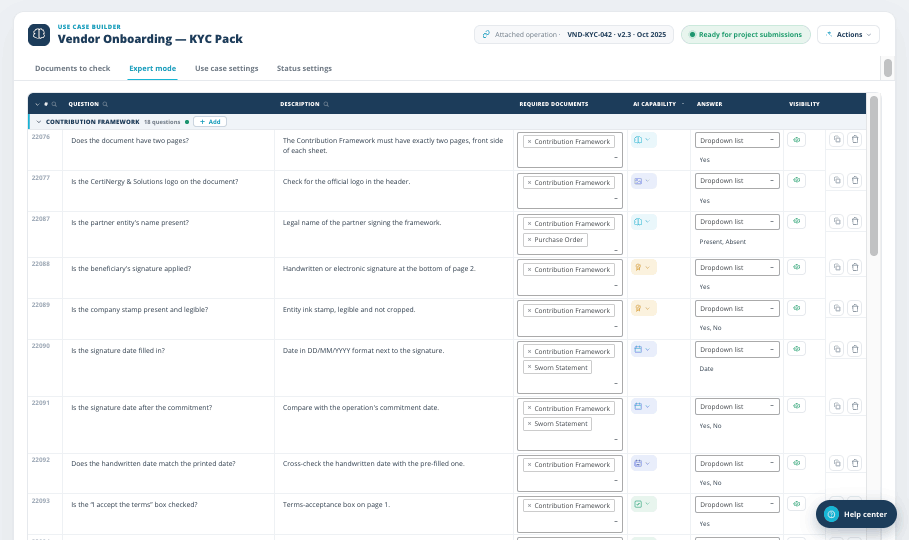
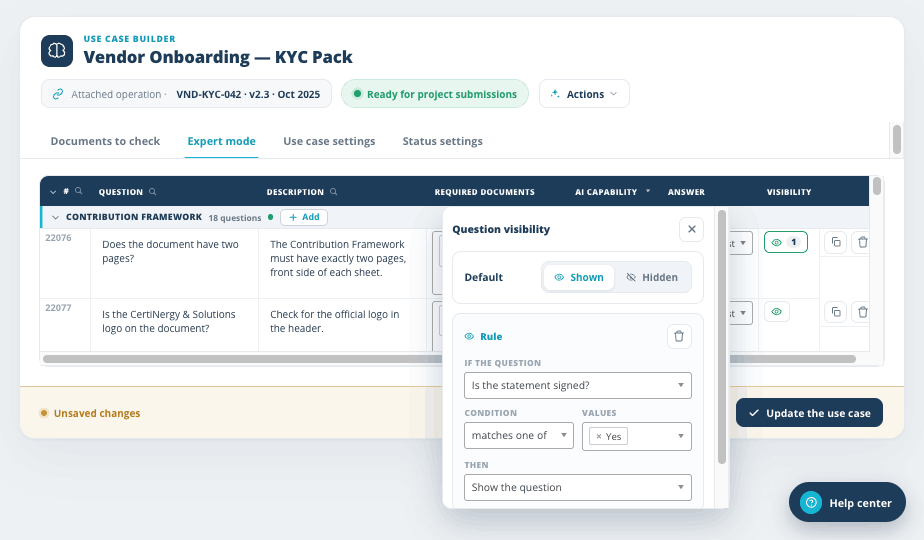
The whole use case in one grid.
Power users see every rule at once: question, description, required documents, answer type, visibility. Conditional logic keeps intake forms short. A question can appear only when another answer calls for it.
- aOne row per rule
Edit questions, required documents and answer types inline.
- bVisibility rules
If the statement is signed, show the follow-up question. Otherwise, hide it.
Each document type, fully described.
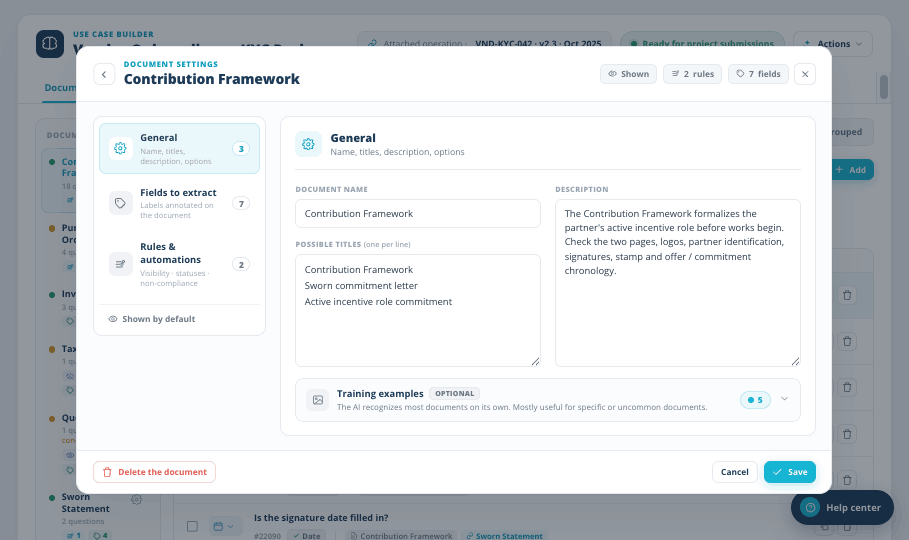
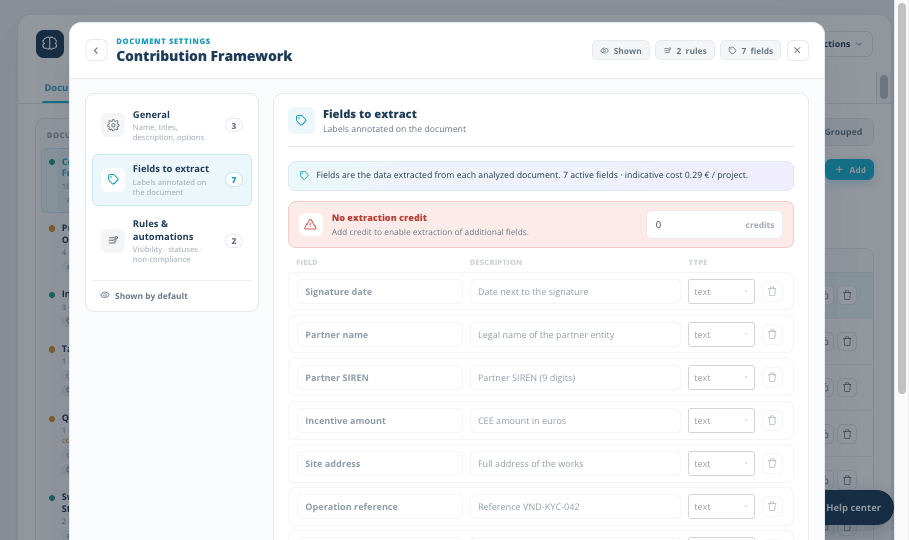
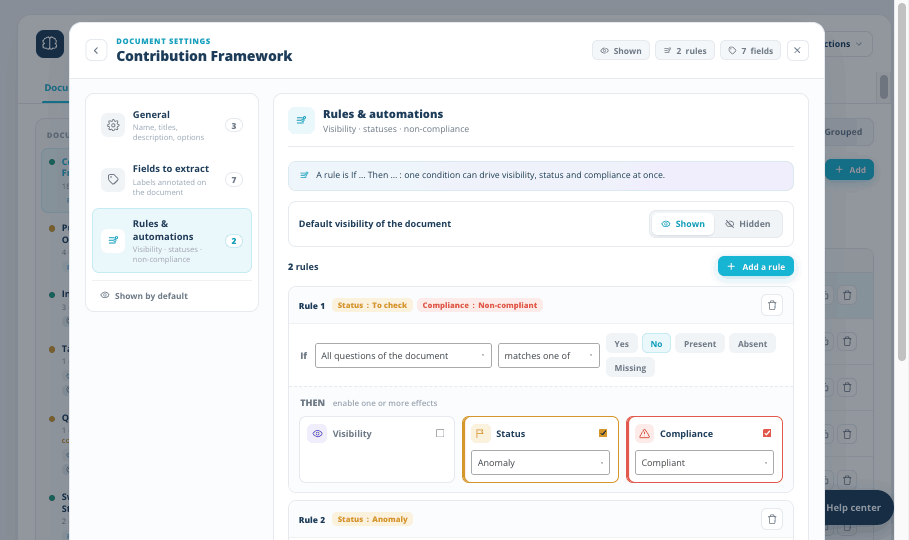
Name the document, list the titles it may carry, describe what it formalizes. Declare the fields to extract. Then write rules that drive status and compliance from the answers, automatically.
- aGeneral settings
Names, alternate titles, description, optional training examples.
- bFields to extract
Signature date, partner name, amounts, addresses. Each field labeled and typed.
- cRules and automations
One condition can set visibility, status and compliance at once.
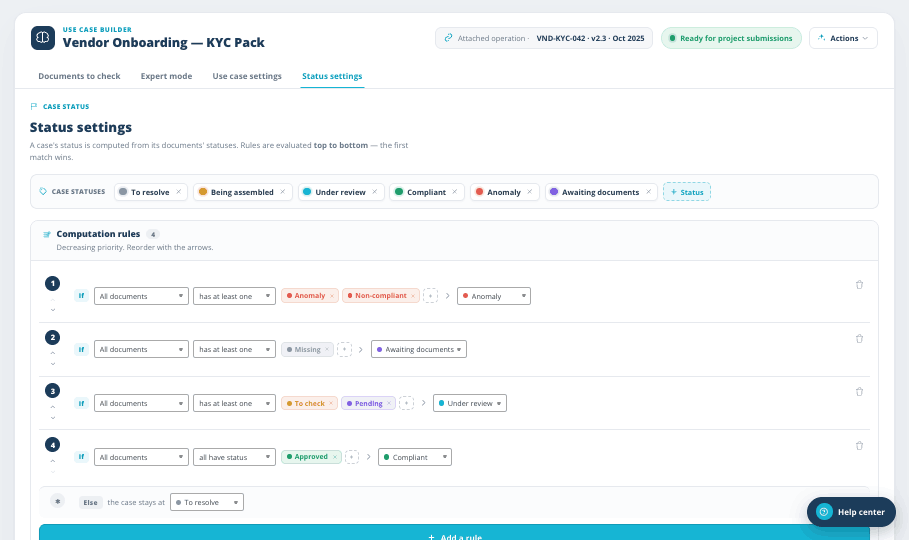
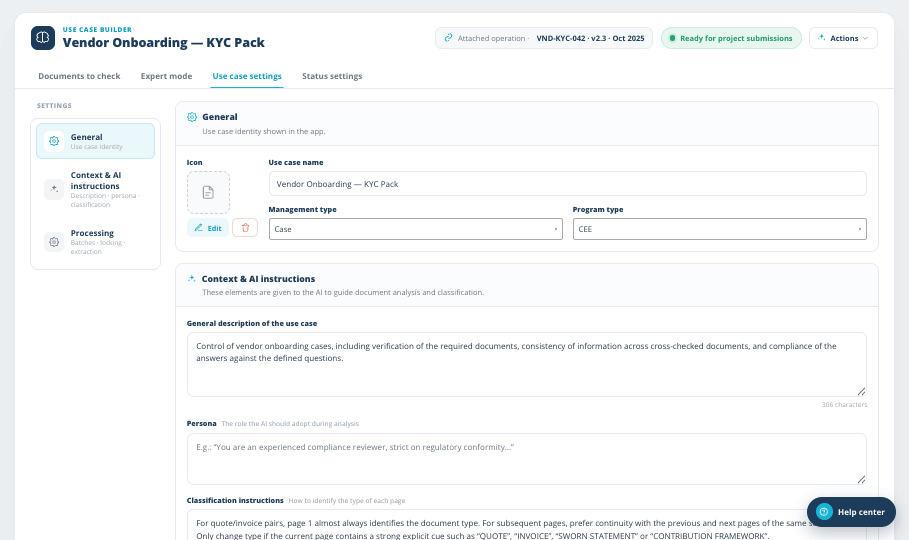
You define what the statuses mean.
A file's status is computed from its documents' statuses, by rules you order yourself. The first match wins. And the AI context, persona and classification instructions are yours to edit, in plain text.
- aStatus computation rules
If any document shows an anomaly, the file does too. Your ordering, your labels.
- bContext and AI instructions
Description, persona and classification guidance, given to the AI verbatim.
200+ use cases, ready to duplicate.
- 200+ standardized verification use cases, maintained by Ceertia
- Duplicate any standard use case and adapt it to your own rules
- Unlimited users and unlimited use cases, at no extra cost
- 90% minimum quality guarantee on standardized use cases
Your rules, versioned and auditable.
When your policy changes, the use case changes with it. Every file is verified against the rule version applicable at its date, so an auditor can replay any decision months later, against the rules that applied at the time.
Rule version stored with every verdictDefine document types, upload examples, set verification criteria: operational in days, evolving with your requirements.
Build your first use case live.
Bring one of your compliance policies to the demo: we turn it into an executable use case in front of you.